
Monitoring financial health is one of the most practical habits a business can build. Revenue figures alone do not show whether a company can pay its bills, fund growth, or withstand a slow season. Digital accounting tools make it easier to see these answers quickly by collecting transactions, organizing them into reports, and updating key figures as new activity occurs. This guide explains how those tools work, which metrics they help track, and what to consider when choosing one.
Table of Contents
- Why Monitoring Financial Health Matters
- How Digital Accounting Tools Organize Financial Data
- Key Metrics Digital Tools Can Track
- Using Cash Flow Monitoring to Plan Ahead
- Reporting, Reconciliation, and Accuracy
- What to Consider When Choosing a Tool
- Common Mistakes to Avoid
- Frequently Asked Questions
- Final Thoughts
Why Monitoring Financial Health Matters
Financial health describes how well a business can meet its obligations today and prepare for what comes next. A company can report strong sales and still face liquidity problems if customers pay slowly or expenses rise faster than income. The U.S. Small Business Administration recommends that owners maintain a basic working knowledge of business finances, including bookkeeping, cash flow, and a balance sheet, as a foundation for sound decisions.
Regular monitoring turns those statements into an early warning system. Rather than discovering a shortfall at the end of a quarter, a business that reviews its numbers every week or month can spot trends, adjust spending, and plan for financing needs with more confidence.

Reviewing financial data with a calculator and notes helps teams spot trends before they become problems.
How Digital Accounting Tools Organize Financial Data
Traditional bookkeeping relied on paper ledgers and manual data entry, which made it slow to produce accurate summaries. Digital accounting platforms automate much of that work. Most cloud-based tools typically perform several core functions:
- Transaction capture: Many platforms connect to bank accounts, credit cards, and payment processors to import transactions automatically.
- Categorization: Expenses and income can be assigned to accounts, which helps keep records consistent over time.
- Invoicing and bill tracking: Outstanding invoices and upcoming bills are recorded so that receivables and payables are visible in one place.
- Automated reports: Profit and loss statements, balance sheets, and cash flow reports can usually be generated for any date range.
- Audit trails: Changes to records are typically logged, which supports review by owners, accountants, and tax advisers.
The IRS notes that businesses may choose any recordkeeping system that clearly shows income and expenses, and that electronic systems must meet the same basic principles as paper records. Guidance on what to retain and how long to keep it is available in the IRS recordkeeping guidance for small businesses.
Key Metrics Digital Tools Can Track
Digital tools are most useful when they focus attention on a small set of indicators. The table below summarizes several common metrics and how automated software can support monitoring them. Exact targets vary by industry, business model, and stage of growth, so results should be interpreted in context.
Using Cash Flow Monitoring to Plan Ahead
Cash flow is often the first area where small problems become visible. The SBA guidance on managing finances highlights the value of tracking money coming in and going out, and the SBA’s business management resources outline how balance sheets, cost analysis, and accounting methods fit together. Digital tools can apply these principles automatically by showing projected inflows and outflows over coming weeks or months.
Common cash flow practices that accounting software can support include:
- Comparing expected customer payments with scheduled supplier and payroll obligations
- Modeling how a change in pricing, staffing, or inventory might affect ending cash
- Identifying seasonal periods when reserves may need to be built up
- Reviewing how quickly invoices are typically paid and adjusting collection follow-ups
Projections are estimates rather than guarantees. Their accuracy depends on the quality of the underlying data, which is why regular updates matter.
Reporting, Reconciliation, and Accuracy
Reliable monitoring depends on reliable records. Bank reconciliation, which compares the books with bank statements, is one of the most important routine checks. Digital tools can match transactions automatically, but reviewing unmatched items still requires human attention. Clear reporting standards also help make statements comparable across periods.
Organizations in many sectors encounter reporting timelines and documentation requirements that affect how their statements are prepared and reviewed. For a broader look at how reporting obligations can shape operations in one sector, see this overview of financial reporting challenges in professional services. The general principles, such as timely posting, consistent categorization, and documented reconciliation, apply across industries.
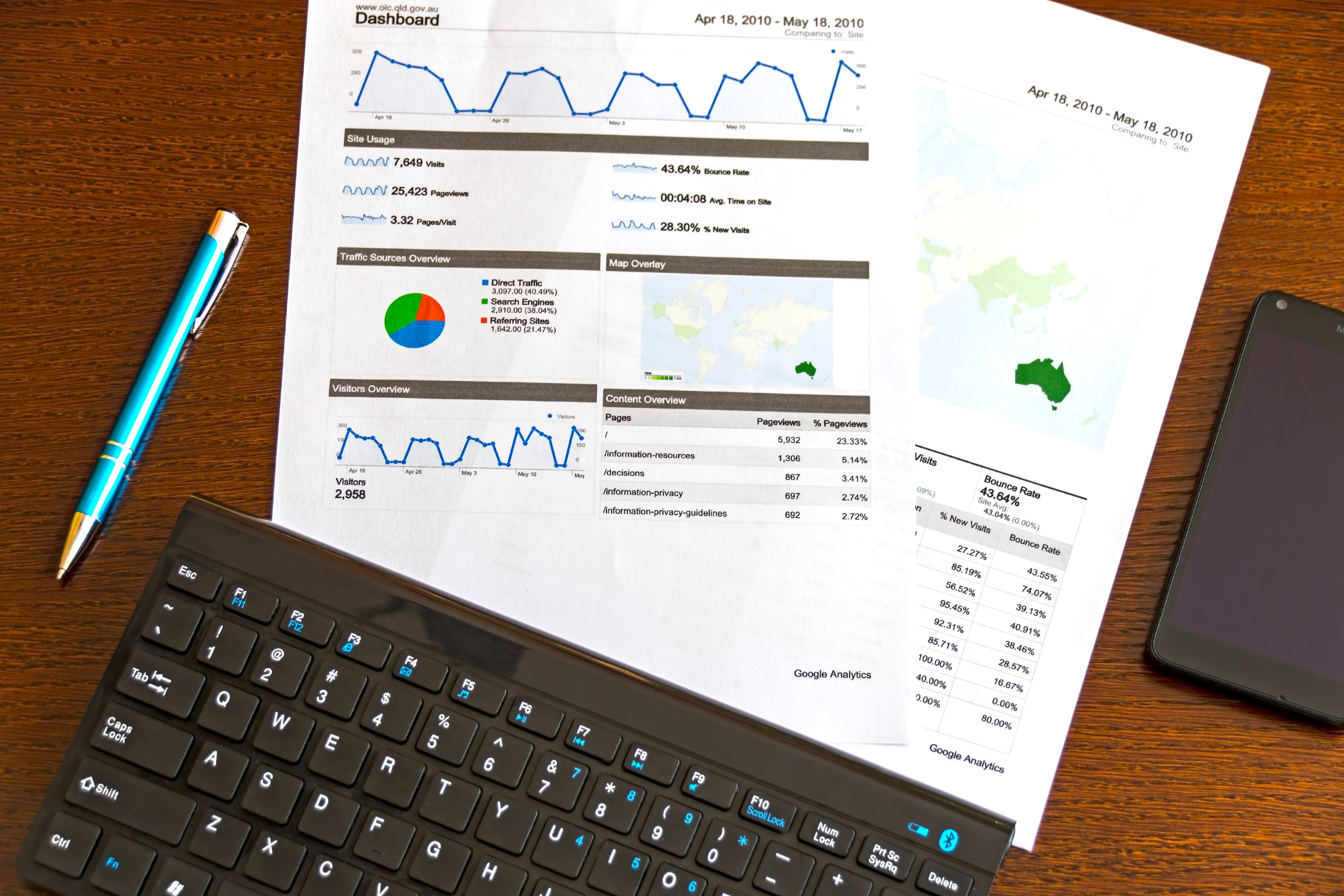
Printed reports and digital dashboards work best together when both are kept current.
What to Consider When Choosing a Tool
No single platform suits every business. When comparing options, decision-makers often look at the following factors:
- Integrations: Compatibility with banks, payroll, point-of-sale systems, and e-commerce platforms
- Reporting depth: Whether standard reports meet current needs and can be customized later
- User access: Role-based permissions that limit who can view or change records
- Scalability: Ability to handle more transactions, locations, or entities as the business grows
- Support: Availability of training, documentation, and access to accountants or bookkeepers
Costs, features, and data-security practices vary between providers, so reviewing current terms and privacy policies before committing is generally advisable.

Accurate invoices and calculations form the base of every financial report a business produces.
Common Mistakes to Avoid
Digital tools reduce many manual tasks, but they still depend on careful setup and routine review. Frequent issues include:
- Mixing personal and business transactions in the same account
- Skipping monthly reconciliation, which allows errors to accumulate
- Leaving transactions uncategorized, which distorts expense reports
- Reviewing only the profit figure and ignoring the cash position
- Failing to update tax-related categories when rules or business activities change
Frequently Asked Questions
Do digital accounting tools replace an accountant?
No. Software automates recording and reporting, but many businesses still work with accountants or bookkeepers for tax planning, review, and complex transactions.
How often should financial health be reviewed?
Many businesses review cash position weekly and full financial statements monthly. The right schedule depends on transaction volume and how quickly conditions change.
Are cloud-based records secure?
Reputable providers typically use encryption and access controls, but security also depends on strong passwords, multi-factor authentication, and careful management of user permissions.
Final Thoughts
Digital accounting tools give businesses a clearer view of cash, receivables, costs, and profitability without requiring hours of manual compilation. They work best when paired with consistent data entry, regular reconciliation, and a short list of metrics reviewed on a fixed schedule. Used this way, they help owners and managers make decisions based on current information rather than assumptions.